cJunosEvolved Lab — Quick Guide
Three Junos routers on Fedora using Containerlab. Works on AMD or Intel.
1. Install Docker and Containerlab
# Docker
sudo dnf install dnf-plugins-core
sudo dnf config-manager addrepo --from-repofile=https://download.docker.com/linux/fedora/docker-ce.repo
sudo dnf install docker-ce docker-ce-cli containerd.io
sudo systemctl enable --now docker

# Containerlab
bash -c "$(curl -sL https://get.containerlab.dev)"
Verify:
docker --version
containerlab version
2. Get the cJunosEvolved image
Download from https://www.juniper.net/us/en/dm/vjunos-labs.html (free, no login). Look for cJunosEvolved-XX.X.X-EVO.tar.gz.
Load it:
sudo docker load -i ~/Downloads/cJunosEvolved-25.4R1.13-EVO.tar.gz
sudo docker images | grep cjunos
Note the exact image tag (e.g. cjunosevolved:25.4R1.13-EVO).
3. Create the topology
mkdir -p ~/junos-lab && cd ~/junos-labSave as ~/junos-lab/topology.clab.yml — adjust image: to match your tag:
name: junos-triangle

topology:
  kinds:
    juniper_cjunosevolved:
      image: cjunosevolved:25.4R1.13-EVO

  nodes:
    rt1: { kind: juniper_cjunosevolved }
    rt2: { kind: juniper_cjunosevolved }
    rt3: { kind: juniper_cjunosevolved }

  links:
    - endpoints: ["rt1:et-0/0/0", "rt2:et-0/0/0"]
    - endpoints: ["rt2:et-0/0/1", "rt3:et-0/0/0"]
    - endpoints: ["rt1:et-0/0/1", "rt3:et-0/0/1"]
4. Deploy
cd ~/junos-lab
sudo containerlab deploy -t topology.clab.yml
Wait ~5 minutes for Junos to boot inside each container. Watch one if you want:
sudo docker logs -f clab-junos-triangle-rt1When you see rt1 login:, it's ready. Ctrl+C to stop following.
5. Connect to a router
Two-step: drop into the container's bash, then telnet to the inner Junos console on port 8601.
sudo docker exec -ti clab-junos-triangle-rt1 bash
# now inside the container:
telnet 127.0.0.1 8601
Press Enter to redraw the prompt. Login as root (blank password). Type cli for the Junos CLI.
Disconnect cleanly:
- From Junos CLI back to bash:
exit - From telnet:
Ctrl-]then typequit - From container bash to host:
exitor Ctrl-D
For rt2 use clab-junos-triangle-rt2, for rt3 use clab-junos-triangle-rt3.
6. Daily commands
cd ~/junos-lab

# Boot the lab
sudo containerlab deploy -t topology.clab.yml

# See running state and IPs
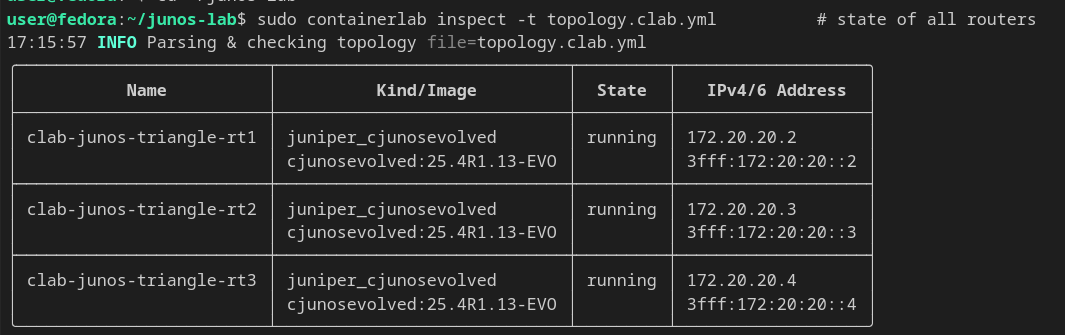
sudo containerlab inspect -t topology.clab.yml

# Visual topology graph (browser)
sudo containerlab graph -t topology.clab.yml

# Tear down
sudo containerlab destroy -t topology.clab.yml
inspect only works from inside ~/junos-lab (the topology.clab.yml needs to be findable). Or use sudo containerlab inspect --all from anywhere.
Troubleshooting
| Problem | Fix |
|---|---|
Failed to fetch http(s) resource |
You ran the command outside ~/junos-lab. cd there first or use absolute path. |
| Login prompt doesn't appear | Junos still booting. Wait 5 min total from deploy, mash Enter at the telnet prompt. |
telnet: command not found inside container |
Use nc 127.0.0.1 8601 instead. |
| Container not starting | sudo docker logs clab-junos-triangle-rt1 shows why. |
Stuck after Ctrl-C in docker logs |
That's just stopping the log follow — container is fine. |
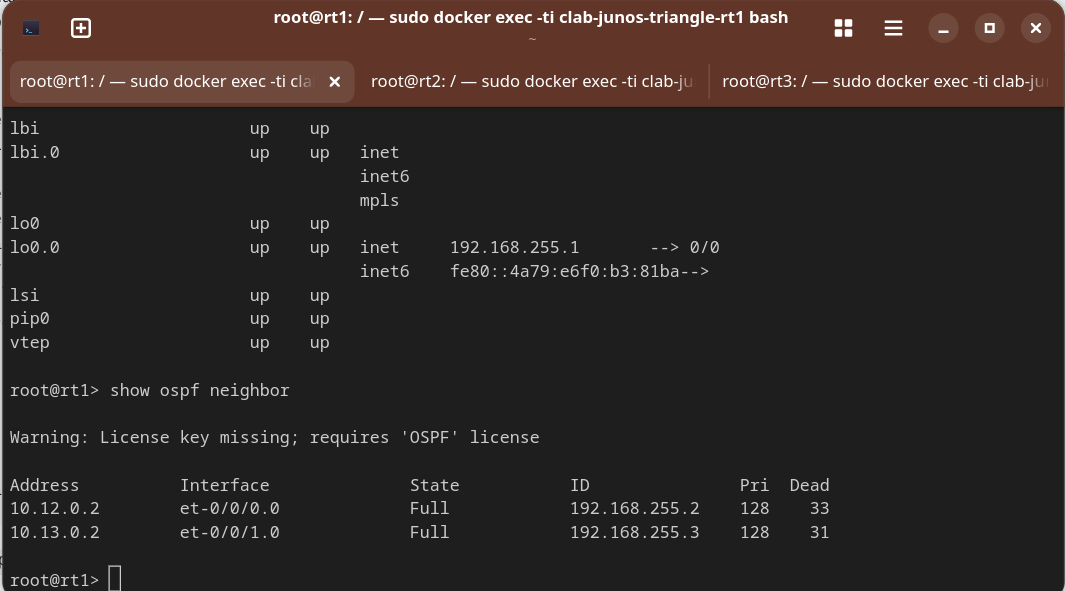
OSPF working
After applying the OSPF config from Junos_ospf_conf.txt to all three routers and committing, neighbors come up across the triangle and the loopbacks are reachable.